This video shows you the steps to resend the activation email:
When a consumer creates a user/login for themselves, a confirmation email is sent to them. It has a unique link that the user must click to enabled the account. On occasion, the user does not click this link and is not able to fully login because the account is not verified. There are multiple possible reasons this could have happened including:
The user deleted the email
The email went to spam
The user typed the wrong email address
If you need to resend the activation email to the consumer, follow these steps:
- On the top bar select Web Users
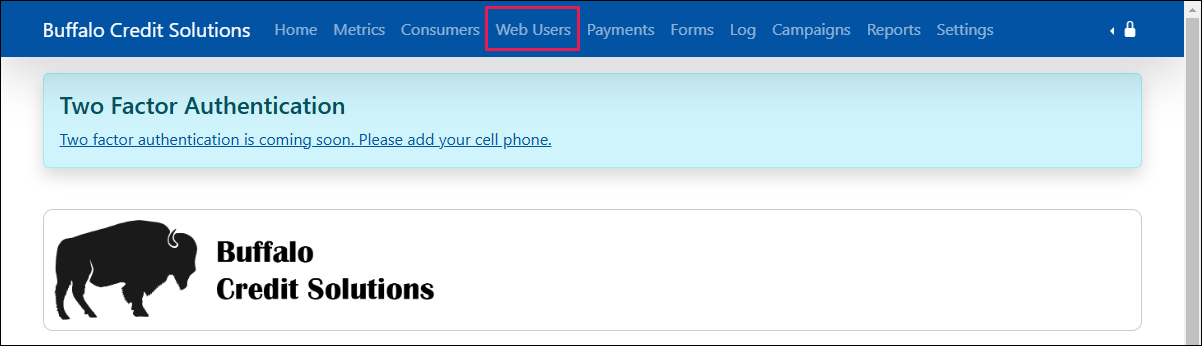
- Enter the users email address. If they have not confirmed their email, you will see a message indicating that.
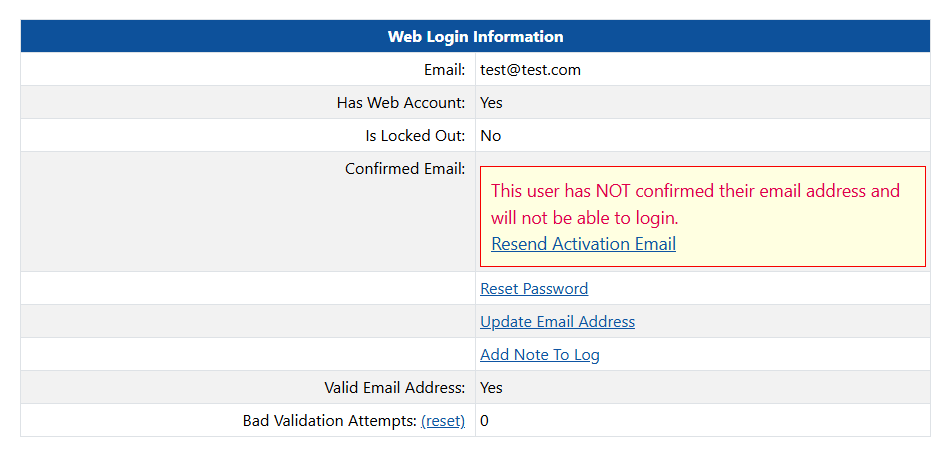
- Click the link that says Resend Activation Email
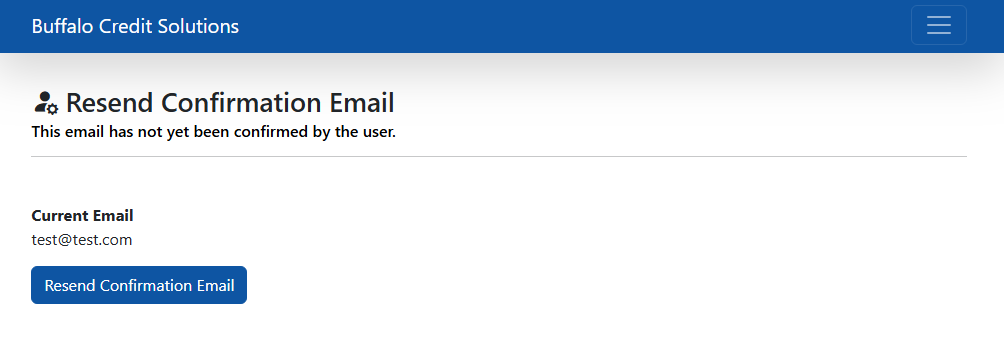
- Continue to reset their email address:
Was this article helpful?
That’s Great!
Thank you for your feedback
Sorry! We couldn't be helpful
Thank you for your feedback
Feedback sent
We appreciate your effort and will try to fix the article